Install Cobblemon with CurseForge
By the Cobblemon.org team · Updated 2026-11-25 · Checked against Cobblemon 1.8.4
Install the CurseForge app, choose Minecraft, sign in with the Microsoft account that owns Java Edition, then either create a Minecraft 1.21.1 profile and add Cobblemon to it or install a modpack that already contains it. Press Play to launch.
1. Install the CurseForge app
- Open the official CurseForge download page.
- Choose the build for your system: Windows, macOS or Linux.
- Run the installer and follow its steps.
2. Choose Minecraft
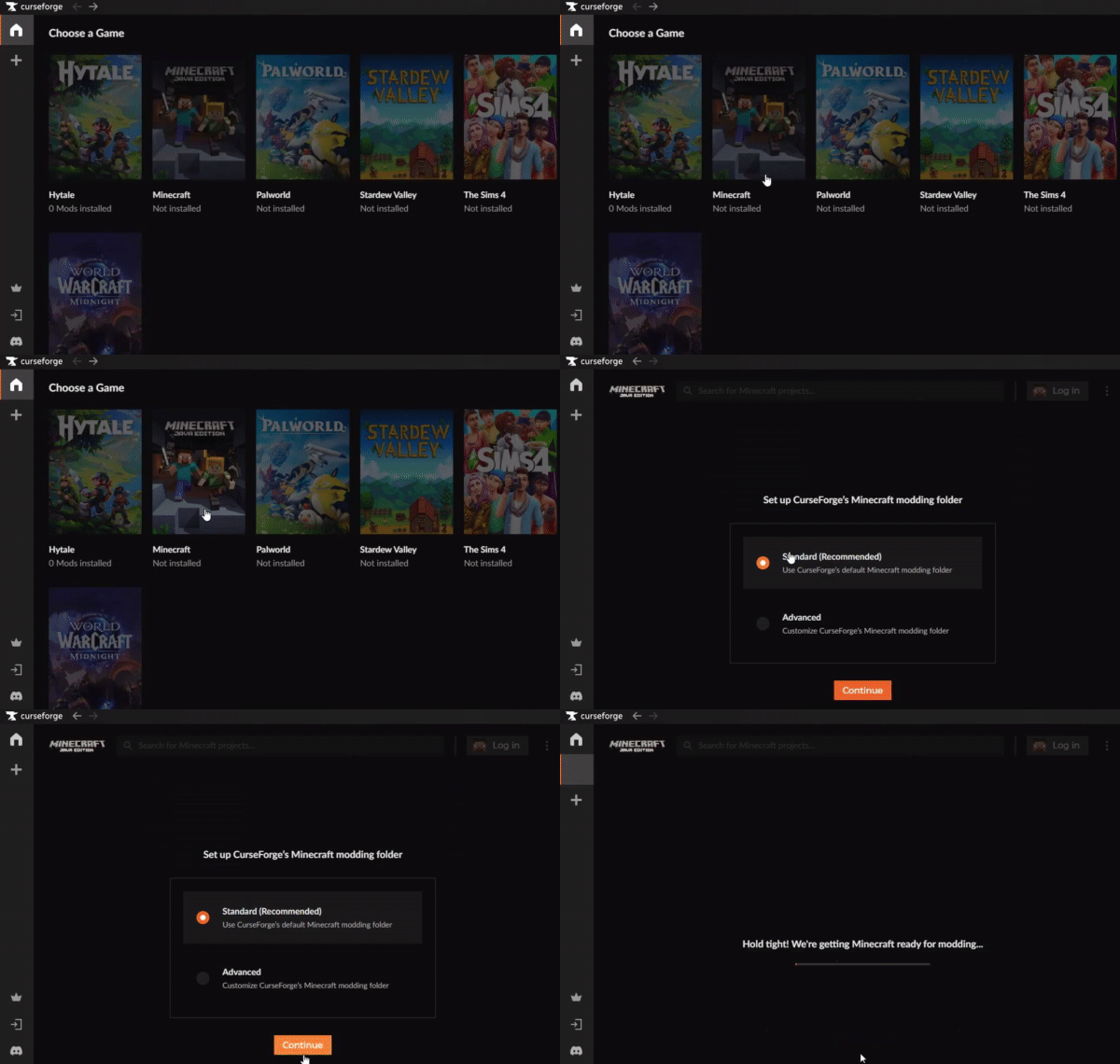
When the app first opens, select Minecraft from the list of games and click continue.
3. Sign in with your Microsoft account
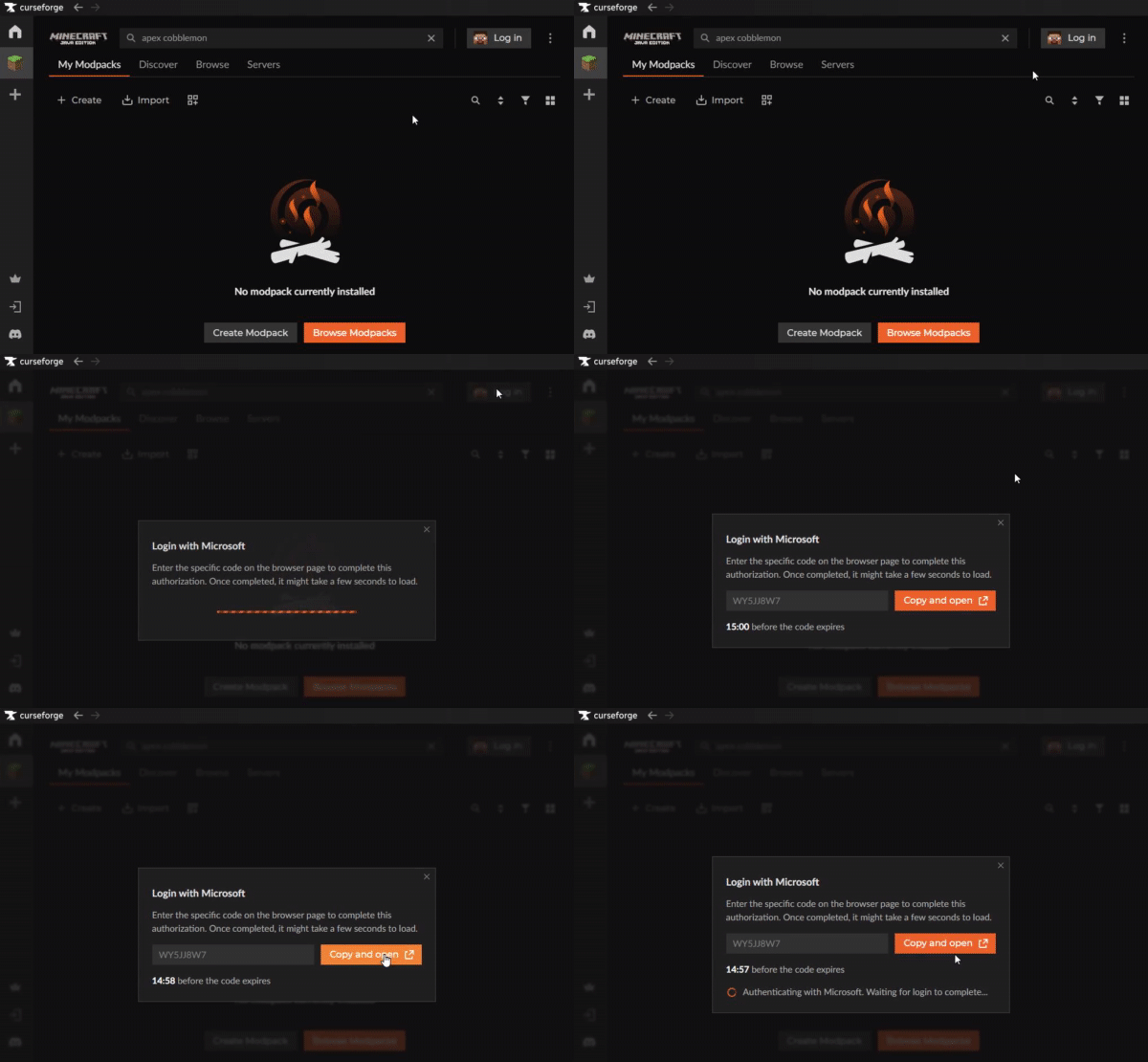
Sign in with the Microsoft account that owns Minecraft Java Edition. The app needs it to launch the game.
4. Add Cobblemon
The Minecraft page has the tabs My Modpacks, Discover, Browse and Servers, with Create and Browse Modpacks buttons when nothing is installed yet.
- Cobblemon on its own: click Create, choose Minecraft 1.21.1 and the Fabric or NeoForge loader, then add
Cobblemonto that profile. Add Fabric API (Fabric) or Kotlin for Forge (NeoForge) as well; the installation overview lists the versions. - A modpack that includes Cobblemon: use Browse Modpacks, search for the pack and install it. The pack sets the loader and every mod version for you.
5. Launch and play
Open My Modpacks, select your profile or pack and press Play. The first launch downloads Minecraft 1.21.1 and the loader. In a world, pick your starter and follow the getting started guide.